
 By Varsha
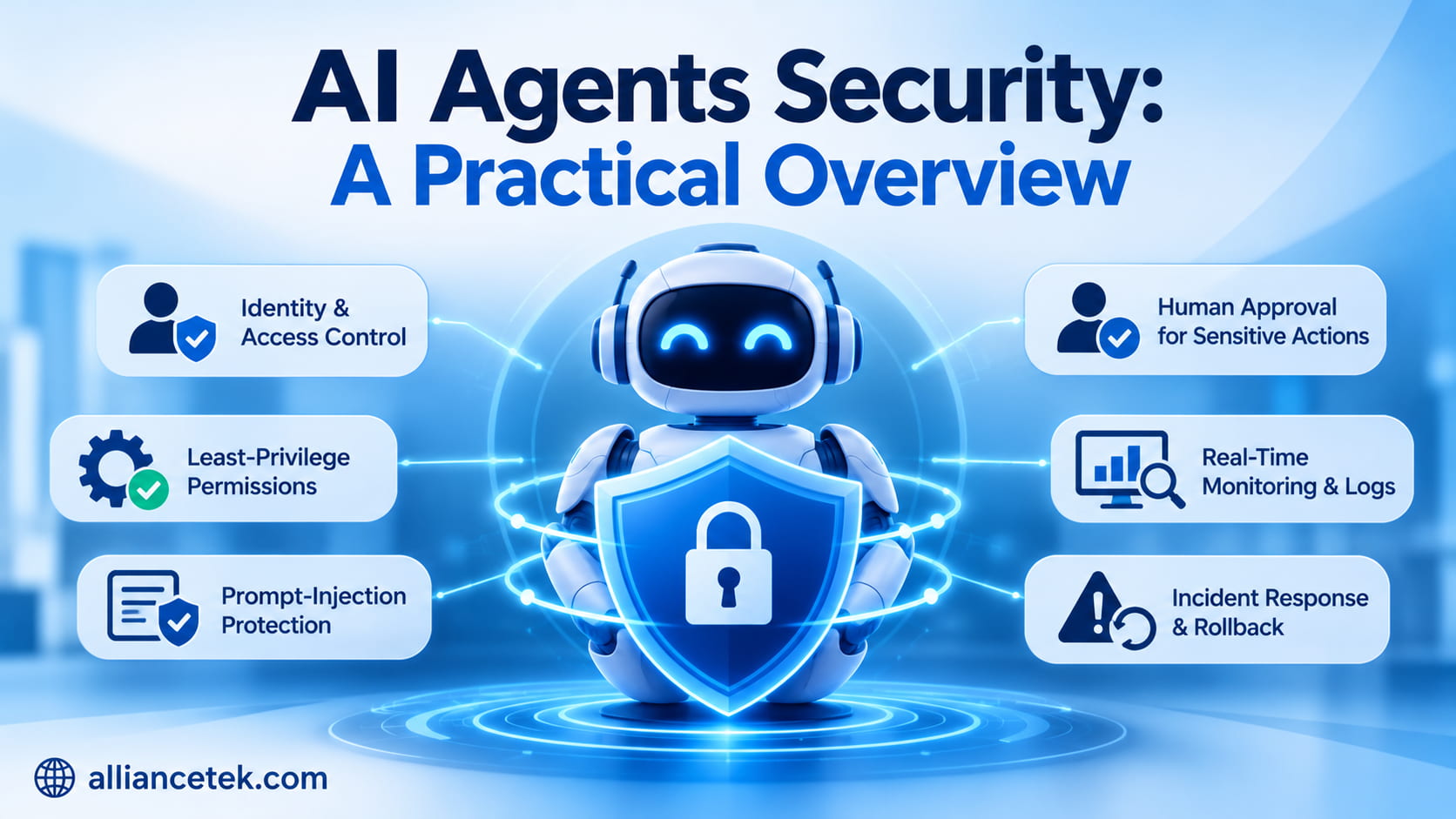
An agent that can read your CRM, fire off emails, and trigger a payment can also do all three wrong at once, fast, before anyone’s even looked at the screen. AI agent security is the set of controls, identity management, access limits, monitoring, and human approval steps that keep an autonomous AI agent from acting outside its intended scope. Most teams we talk to built the agent in a week and spent the next month figuring out, after the fact, how it should’ve been locked down.
This isn’t a theory piece. It’s what actually goes wrong, and the order you should fix it in.
What Securing an Agent Actually Involves
Securing an agent means controlling four things at once: who it is, what it can see, what it’s allowed to do, and who’s watching once it’s live. None of these work in isolation. The sections below walk through each in the order they tend to matter most.
Why AI Agents Require a Different Approach to Security Than Traditional Software
Traditional software typically follows predefined rules and workflows, while AI agents can choose different actions depending on the task, the information they receive, and the tools available to them. This flexibility makes them useful, but it also creates security risks. An agent may misinterpret instructions, access data it doesn’t need, or take an action that wasn’t intended. That’s why securing an AI agent requires controls over not just its code, but also its access, decisions, and actions.
1. The Attack Surface Is Bigger Than People Expect
An agent is rarely just “a model.” It’s a model, plus a handful of tools it’s allowed to call, plus a memory store, plus whatever business systems sit behind all that. Every one of those connections is a place something can break – a bad instruction slipping past, a tool getting called with the wrong input, data ending up somewhere it was never supposed to go.
2. A Mistake Doesn’t Stay a Mistake for Long
If a person misreads a request, that’s one error. If an agent misreads the same pattern, it repeats that error across every record it touches before a human even clicks review. That’s the upside and the downside in the same sentence, and it’s exactly why this needs to be built in from day one instead of patched in after something breaks.
Lock Down Identity and Access Before You Worry About the Model
Identity and access controls matter more than model-level safeguards because most agent incidents come from an agent having broader reach than its task required, not from the model itself misbehaving. A lot of the early conversation about agent safety circles the model – is it hallucinating, is it following instructions properly. Fair questions, but not usually where the damage comes from.
1. Every Agent Gets Its Own Login, Full Stop
Don’t run agents under a shared service account, and definitely not under someone’s personal credentials – we’ve seen that one more than once. Give each agent its own identity tied to its own permissions. That way, when something looks off, you can trace it to one agent and shut off just that one, instead of guessing which of five agents touched the record.
2. “Least Privilege” Isn’t a Slogan, Apply It Literally
An agent gets access to what the task in front of it actually needs. Nothing extra “in case it’s useful later.” A support agent pulling order history doesn’t need write access to billing, no matter how tempting it is to just grant it once and move on. This is the kind of groundwork that goes into any serious agentic AI build, and it’s usually the first thing our Agentic AI development services work through, before anyone writes a line of orchestration code.
3. Check Permissions Again Later, Not Just at Launch
Access creeps. An agent picks up a new task, someone grants it a bit more reach to make that work, and six months later nobody remembers why it can touch what it touches. Put a recurring review on the calendar – quarterly is reasonable – and actually look.
Treat Instructions as Something That Can Be Attacked
Prompt injection happens when hidden instructions embedded in content an agent reads, like an email or document, override its intended behavior, which makes the instructions an agent follows a genuine attack surface. An agent acts on whatever it’s told, which makes “what it’s told” a target in its own right.
1. Watch for Prompt Injection
If an agent reads emails, documents, or web pages as part of its job, that content can carry hidden instructions aimed at hijacking it. Anything pulled in from outside should be treated as data to evaluate, not as a command to follow – and it shouldn’t be able to override the agent’s actual rules without something checking it first.
2. Limit What the Agent Can Do
Give agents only the tools and permissions they need, and enforce these limits at the tool or API level. A support agent that checks order status, for instance, shouldn’t automatically have permission to issue refunds or export customer records. Sensitive actions should also require appropriate authorization or human approval. That way, even if an agent follows a malicious instruction, additional controls can prevent it from causing serious damage.
Decide What Agents Are Allowed to Do, Not Just What They Can See
Access to information and permission to act are two different things. An agent that can only read customer records poses less risk than one that can also issue refunds, change account details, or send messages on a customer’s behalf. Security controls need to account for both what an agent can access and what it can do with that access.
1. Match Permissions to the Risk of Each Action
Not every task needs the same level of control. An agent summarizing a support ticket may be able to work independently, while issuing a refund should require a policy check. Actions such as changing account permissions may need explicit authorization before they proceed. Defining these boundaries early helps teams give agents enough freedom to work without handing them unnecessary control.
2. Require Approval for High-Risk Actions
Actions involving money, sensitive information, or account access need stronger safeguards. Depending on the risk, require human approval before the agent sends confidential data, processes a high-value refund, or changes user permissions. These checks should be enforced by the application or connected system, rather than relying on the agent to decide whether its own actions are safe.
How to Monitor AI Agent Behavior and Track Their Actions in Real Time
An agent may behave as expected during testing but make unexpected decisions once it starts working with real data. Monitoring helps teams spot unusual activity early and investigate problems before they cause greater damage.
1. Log Enough to Investigate Problems
Keep records of the actions an agent takes, the tools it calls, the data it accesses, and whether those actions succeed or fail. These logs help teams trace what happened when something goes wrong, identify the cause, and determine what needs to be fixed.
2. Flag Unusual Activity Early
Watch for changes in an agent’s normal behavior, such as a sudden increase in API calls, repeated permission failures, or unexpected access to sensitive records. Set alerts for these patterns so the team can investigate and, if necessary, suspend the agent before the issue escalates.
Security Isn’t a Launch Step, It’s an Ongoing One
Agent security needs to be constantly reviewed since every alteration in the tools used by the agent, in the data accessible to it, and in its permissions makes for another risk factor that must be taken into consideration. If not, the controls themselves lose their validity.
1. Any Scope Change Means a Re-Test
An agent who obtains a new tool, a new source of information, or a new privilege is, as far as security is concerned, essentially a new agent altogether. Keep this in mind when considering whether you need to review your risk assessment process.
2. Have a Plan for When an Agent Goes Off the Rails
Know, in advance, how you’d pull an agent out of production fast – revoke its credentials, pause what it’s doing, roll back whatever it changed. Teams that only figure this out mid-incident lose way more time than teams that wrote it down beforehand.
How to Build Secure Agentic AI Solutions With Security by Design
Each of these control methods is easy for most teams to implement alone, but ensuring consistency among all of them at a time when there are increasing numbers of agents being used is where mistakes are made. This is normally the point where external help comes into play.
1. Getting the Architecture Right Early Saves You Later
Security decisions made at the architecture stage cost a fraction of what the same decisions cost once they’re bolted on after launch. Agentic AI consulting tends to earn its keep right here – in the design conversation before the first agent ships, not as cleanup afterward.
2. Solutions Built With Security In, Not Added On
When security gets treated as a side project instead of part of the build, it falls behind the feature list every time. Agentic AI solutions built with permissions, logging, and approval steps baked into the architecture from the start don’t have that gap to begin with.
Conclusion
The fastest way to reduce risk across a fleet of agents is to secure the one with the broadest access and most consequential actions first, since that’s where a gap costs you the most if something goes wrong.
Everything else follows the same pattern after that: a clear identity, minimal access, logged actions, a person in the loop wherever the stakes are real. Autonomous AI systems built this way aren’t slower for it. They just fail smaller when something inevitably goes wrong, and something always eventually does.
If you’re not sure where your agents stand on any of this, that’s worth sorting out before the next one goes live. AllianceTek works through exactly this with teams, from a single agent review to a full security architecture. Reach out, and we’ll help you find the gap worth closing first.
 Vinay
 Johnny
 roffbenhaminn